

Accelerate your software delivery with vorza’s affordable azure devops services. We provide expert azure devops consulting to help your team plan, code, and deploy faster with total confidence.


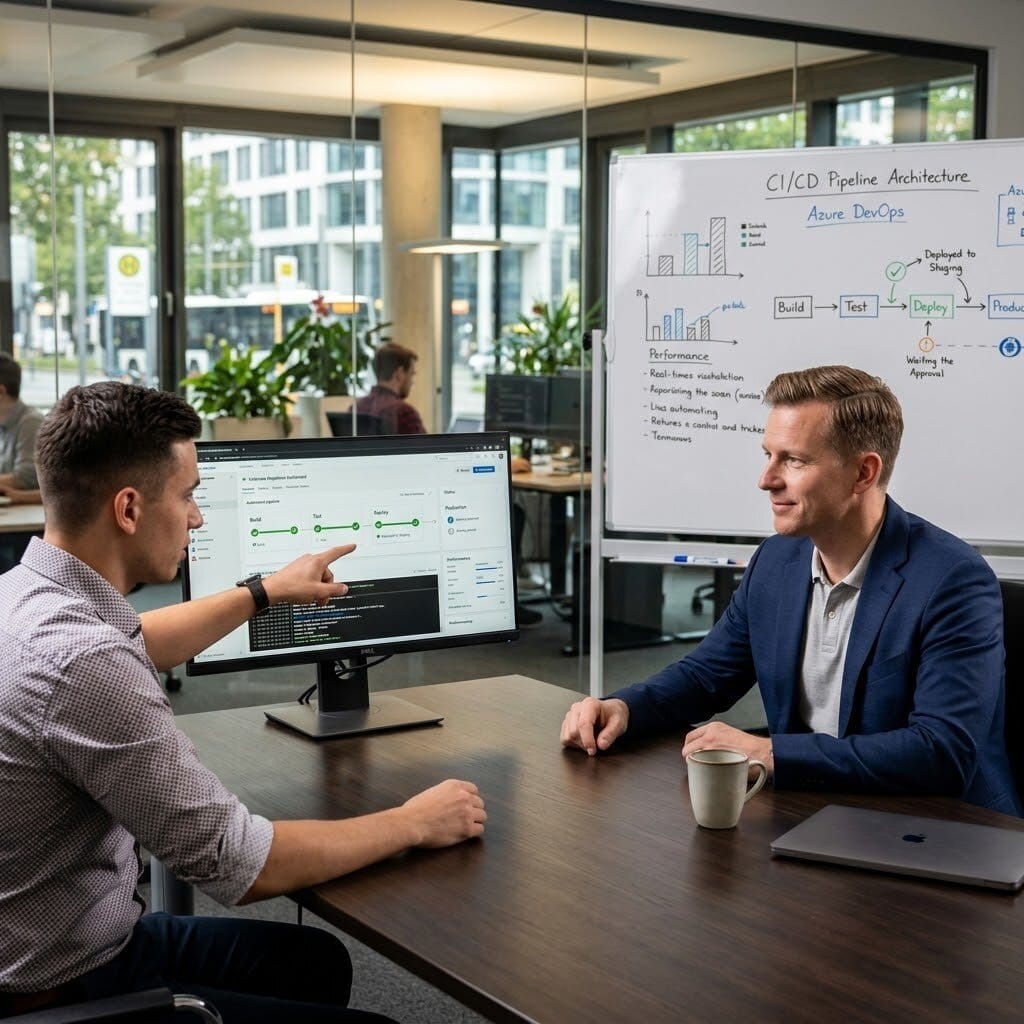
The Challenge: Sebastian’s development team was deploying application updates manually — SSH into servers, pull code, restart services. Deployments were inconsistent, occasionally broke production because of environmental differences, and took half a day. The team knew CI/CD was the right approach but hadn’t found the time to implement it.
The vorza360 Solution: vorza360 implemented Azure DevOps pipelines for their application: CI pipeline that built and tested on every commit to main, CD pipeline that deployed to staging automatically and to production with a manual approval gate, and infrastructure as code using Bicep for the Azure resources so that environments were consistently defined.
The Result: Deployment time reduced from half a day to under 15 minutes. Sebastian’s team deployed more frequently because deployment was simple and reliable, and the consistent environment definitions eliminated the ‘works in staging but breaks in production’ incidents that had been a regular frustration.

The Challenge: Rima’s company had Azure DevOps pipelines that ran builds and tests, but deployments were still manual because the team was nervous about automated production deployments. The CI pipeline was catching bugs but the manual deployment process was slow and sometimes introduced errors that automation would have prevented.
The vorza360 Solution: vorza360 extended their pipelines to include automated deployment: staging deployment on every build, automated integration tests against staging, and production deployment triggered by a release branch with a review gate. A canary deployment strategy was implemented so that production deployments could be rolled back within minutes if issues were detected.
The Result: Rima’s team moved to fully automated deployments within one month of the pipeline extension. The canary strategy gave them the confidence to automate production deployments — they knew a problematic release could be reversed quickly. Deployment errors from manual steps were eliminated, and the team released more frequently as the friction decreased.

The Challenge: Andrei’s team had Azure DevOps but each of their five development teams had built their own pipeline approach — different tools, different stages, different testing coverage. There was no shared standard, the platform team had no visibility across teams, and pipeline maintenance was duplicated five times.
The vorza360 Solution: vorza360 designed a shared Azure DevOps pipeline template library: reusable pipeline templates for common patterns — build, test, security scan, deploy — that each team extended for their specific application. The templates enforced security scanning and required tests as mandatory stages, with team pipelines unable to bypass these steps.
The Result: All five teams adopted the shared templates within three months. The platform team had consistent visibility across all pipelines, security scanning was universally applied, and pipeline maintenance became shared effort rather than five independent maintenance burdens. New teams onboarded with a working pipeline from day one using the standard templates.

The Challenge: Rohan’s company had security scanning in their Azure DevOps pipelines but it was configured to report rather than block — vulnerabilities were identified but deployments proceeded regardless, and the vulnerability reports accumulated without being addressed because the deployment wasn’t blocked.
The vorza360 Solution: vorza360 reconfigured the security scanning stages to block deployments on critical and high severity findings, implemented a process for teams to review and accept-risk on specific findings with documented justification, and set up a dashboard showing vulnerability trends across all pipelines over time.
The Result: Critical and high vulnerability deployments stopped reaching production. Rohan’s development teams addressed vulnerabilities as part of their development workflow rather than deferring them indefinitely. The dashboard showed the vulnerability trend declining steadily over the months following the enforcement change, demonstrating the real security improvement.

The Challenge: Astrid’s company had Azure DevOps for their application code but their Azure infrastructure was still managed manually through the portal. Infrastructure changes were inconsistent between environments, and there was no record of what had changed and when — a problem that had contributed to environment-specific issues that were difficult to trace.
The vorza360 Solution: vorza360 implemented infrastructure as code using Bicep, migrating their Azure resource definitions to code committed in Azure DevOps repositories, with a pipeline that deployed infrastructure changes through the same PR review and approval process as application code. Environment differences were captured as parameter files rather than separate code.
The Result: Infrastructure changes were reviewed, approved, and deployed consistently through the same process as application changes. Astrid’s team had a complete history of infrastructure changes in source control, and environment differences were visible in the parameter files rather than hidden in manual portal configurations. The infrastructure drift problem that had been causing environment-specific issues stopped occurring.

The Challenge: Chidubem’s company had no automated testing in their development process. Code was written, manually tested, and deployed — a process that worked for their small original team but was breaking down as the team and codebase grew. Production bugs were increasing and manual testing before each release was taking days.
The vorza360 Solution: vorza360 implemented an Azure DevOps CI pipeline with automated testing as the foundation: unit tests running on every commit, integration tests running against a test environment on every PR, and deployment blocked if tests failed. They also integrated SonarCloud for code quality analysis as a PR gate.
b Production bugs reduced significantly within two months of the automated testing being in place. Chidubem’s development team spent less time on manual testing and more time writing code, and the quality gate in the PR process caught issues before they reached main rather than after they reached production.
We turn complex development cycles into smooth, automated workflows that keep your business moving.

We use the Azure devops marketplace to find and set up the perfect Azure devops extensions for your team. This means we can link your development tasks directly to the tools you already use, like Slack or Microsoft Teams.
Our team manages your Azure devops cost by choosing the right service connections and parallel jobs. We ensure you have the power to build your apps without paying for resources you aren’t using.


Whether you need an Azure devops server on-site or a fully cloud-based Microsoft Azure devops service, we design a workspace that fits your specific security and speed requirements.
Tools

A visual way for us to help you track your projects using simple digital cards and progress bars.

The automation “engine” we build to test and ship your code to the world automatically.

A secure, private home where we manage and protect your company’s custom software code.

A quality-check toolkit we use to find and fix glitches before they ever reach your customers.
vorza ensures your software can reach users on any device or cloud environment.
Seamlessly deploying your apps to the world’s most trusted cloud.
Using Azure devops tools to manage and ship code to AWS servers.
Providing a unified bridge to deploy and monitor apps on Google’s platform.
Managing your local Azure devops MCP server for high-security internal apps.
Automating the path from a developer’s laptop to the app stores.
Bridging your office servers and the cloud for a flexible, “best-of-both-worlds” setup.
The classic choice for high-performance Windows business applications.
Reliable support for large-scale enterprise systems and Android apps.
Perfect for smart automation scripts and data-heavy web applications.
Fast and modern support for real-time web tools and chat apps.
The backbone for millions of websites and WordPress-based platforms.
A framework we use to build and deploy startup ideas at lightning speed.
Expert management for specialized, high-speed software and local tools.
Container support to ensure your app runs perfectly on any machine.
We are an eCommerce website design company, that uses the best creative skills to meet your
business needs and ensure customer satisfaction. We’re with you every step of the way, from the
beginning of your project to its completion.

Fashion & Apparel

Food & Grocery

Retail

FMCG

Real Estate

Construction

Hotel

Healthcare

Telecom

Fintech

Manufacturing

Automotive
We provide a clear, professional path to modernizing how your business builds software.
Step 1
We review your current process to see how Azure devops services can speed you up.
Step 2
We map out your custom path from a single idea to a finished, live product.
Step 3
We set up your Azure devops office integration so your developers and managers stay in sync.
Step 4
Our team builds the “digital factory” that builds and tests your code every time it changes.
Step 5
We keep a close eye on your Azure devops status to ensure your delivery lines never clog.
Step 6
We use data to find new ways to lower your Azure devops cost and increase your speed.

Our software delivery process was a mix of manual steps, local scripts, and tribal knowledge that made releases inconsistent and stressful. vorza360 built proper Azure DevOps pipelines for our applications — build, test, deploy — and our release process became repeatable and reliable from the first pipeline run.
vorza configured Azure DevOps with branch protection policies, required code reviews, and automated testing gates so code quality checks happen automatically rather than depending on discipline. Our defect rate in production has dropped noticeably since the pipeline controls were put in place.
vorza360 migrated our team from a legacy source control system to Azure DevOps Repos with full history preservation and a Git branching strategy appropriate for our team size and release cadence. The migration was smoother than we expected and our developers adapted to the new workflow quickly.
vorza360 implemented Azure DevOps multi-stage pipelines for our application that deploy to dev, staging, and production environments with appropriate approval gates between stages. The ‘progress-through-gates’ deployment model they configured has given our release process the governance our management had been asking for.
vorza set up Azure DevOps dashboards and reporting for our engineering managers that show pipeline health, deployment frequency, test pass rates, and lead time metrics. The visibility into our delivery performance has enabled data-driven conversations about process improvement that we’d never been able to have before.
vorza360 built Azure DevOps pipelines for our infrastructure-as-code deployments using Terraform so our Azure environment is provisioned consistently and every change is reviewed, tested, and applied through the pipeline rather than by someone clicking in the portal. Our infrastructure drift problem simply disappeared.
Scale your business effortlessly with vorza’s expert Azure virtual machine services.
Launch and grow your web applications effortlessly with vorza’s expert Azure app…
Run your code without the hassle of managing servers with vorza’s expert azure…
Secure and scale your business data with vorza’s expert azure sql database services.
Simplify your data storage with vorza’s expert azure storage blob service.
Secure your business with vorza’s expert Microsoft Azure Active Directory service.
Simplify container management with vorza’s expert azure kubernetes services AKS.
Connect your apps and automate your business processes with vorza’s expert Azure…
Build a fast and secure digital foundation with vorza’s expert azure network services.
Got questions? We’ve got answers. Find everything you need to know about using our platform, plans, and features
Azure DevOps is Microsoft’s integrated platform for software development lifecycle management — a suite of services that covers the entire journey from planning and coding to testing, building, and deploying software. The platform includes Azure Boards (work item tracking, sprint planning, Kanban boards, and backlog management using agile or Scrum methodologies), Azure Repos (Git-based source code hosting with pull requests, branch policies, and code review workflows), Azure Pipelines (CI/CD automation for building, testing, and deploying code to any target — Azure, AWS, on-premises, or any cloud), Azure Test Plans (test case management, exploratory testing, and test reporting), and Azure Artifacts (package management for NuGet, npm, Maven, and Python packages). vorza360 implements and configures Azure DevOps to give development teams a unified, integrated toolchain that eliminates the coordination overhead of managing disparate tools for each development activity.
Azure Pipelines CI/CD implementation transforms the process of getting code from a developer’s laptop to production from a manual, multi-step, error-prone process into an automated, tested, and auditable pipeline. vorza360 sets up Azure Pipelines by defining the pipeline using YAML (stored in the repository alongside the application code, providing version control for the pipeline itself). The CI stage triggers automatically on every pull request and main branch commit, running: code compilation or linting, unit tests with code coverage reporting, static security analysis (SonarQube or Microsoft Security DevLabs), container image builds and vulnerability scanning, and integration tests against ephemeral test environments. The CD stage deploys to staging first, runs automated acceptance tests, then either deploys to production automatically (for continuous deployment) or waits for a manual approval gate (for controlled releases). We implement pipeline environment protection rules, deployment gates, and rollback procedures to make production deployments safe and reversible.
Azure Repos provides Git repositories with enterprise-grade access control, compliance features, and development workflow support. vorza360 configures Azure Repos for secure, efficient code management by: implementing branch policies that protect the main branch from direct pushes, requiring pull requests reviewed and approved by at least two team members before merging, requiring all CI pipeline checks to pass before a merge is permitted, and requiring linked work items so every code change is traceable to a specific requirement or bug. We configure branch naming conventions and policies that prevent unauthorized access. We implement repository permissions using Azure DevOps security groups aligned with team roles — developers can push to feature branches but not directly to main; release managers can approve deployments. We enable Azure Repos advanced security (Microsoft’s built-in secret scanning, dependency scanning, and code scanning) to catch credential exposures and known vulnerabilities in dependencies before they are merged.
Infrastructure as Code (IaC) in Azure DevOps means that Azure resources — virtual machines, databases, Kubernetes clusters, networking — are defined in code files (ARM templates, Bicep, or Terraform configurations) stored in Azure Repos, and deployed through Azure Pipelines in the same automated, tested, version-controlled way that application code is deployed. vorza360 implements Azure DevOps IaC pipelines using Terraform or Bicep: we store IaC code in Azure Repos with the same branch policies as application code. The pipeline stages include a validation stage (terraform plan or bicep what-if that shows exactly what changes will be made without applying them), a review stage (posting the plan output as a comment on pull requests for human review of infrastructure changes), an approval gate for production infrastructure changes, and an apply stage that executes the changes. We configure separate pipeline service connections for each environment (development, staging, production) with permissions limited to each environment’s resource groups, preventing accidental cross-environment changes.
Large organizations using Azure DevOps often have multiple teams, departments, or business units working on different projects — managing access, billing, and governance across this landscape requires deliberate configuration. vorza360 configures Azure DevOps organizational structure based on your governance requirements: we design the organization and project hierarchy (typically one Azure DevOps Organization per company, with Projects aligned to product lines or business units), implement Azure Active Directory integration so all user authentication and access management uses corporate identities rather than standalone Azure DevOps accounts, configure organization-level policies (such as requiring SSH key or PAT token authentication, disabling public project creation), set up billing aligned to departments or cost centers using Azure subscriptions, implement organization-wide pipeline settings (allowed agent pools, approved extension installations), and configure cross-project access policies for shared component repositories that multiple projects consume.